
Ergonomics: Office Ergonomics: Working In Comfort
- Product ID
- clofempg
- Training Time ?
- 56 to 112 minutes
- Language(s)
- English
- Video Format
- Standard Definition
- Required Plugins
- MasteryNet Player
- Lesson Interactions
- 21
- Quiz Questions
- 24
Technology has changed the way we work. Today, we find ourselves in an information age, where sending and receiving messages is as important as transporting product.
In the past we often performed a variety of tasks that helped us stay fit. Now, work moves faster, is more specialized, and our bodies have less variety in the movements made on the job. You probably don’t even realize how your job can effect your body. Until you begin to feel the strain.
We need to learn how to work by considering what is best for our bodies. That’s what ergonomics is all about. Ergonomics;designing the job to fit the person, rather than making the person fit the job. It’s the science of designing tools and equipment, the layout of workplaces, and the overall organization of work to improve employee well being and workplace efficiency.
This program will show your workers how to use ergonomic guidelines to make their work more comfortable. They will also learn proper body mechanics and how stretching can help them do their jobs better, safer, and more efficiently.
 This course is in the Advantage™ format, to read about Advantage™ features click here.
- Rich multimedia presentation with interactions and quiz
- Print certificate and wallet card
- You have 30 days to complete the course
Training for all office workers.
-
Risk Factors
- Common risk factors
- Repetition
- Awkward positions and postures
- Force
-
Body Mechanics
- Working in neutral
- Ergonomic designs
-
Ergonomic Design
- Team work
- Chair
- Keyboard
- Other design issues
-
Visual Comfort
- Height and distance
- Eye strain
- Glasses
- Glare
-
Work Habits
- Schedule
- Activity
-
Stretching
- Exercises
- Fitness
-
Explain the factors that put your body at risk.
- List common ergonomic risk factors.
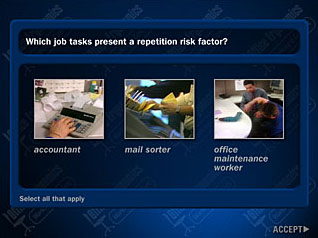
- Choose an example of repetition.
- Explain why centralized office work puts your body at risk.
- Recognize an awkward position from an example.
-
Use body mechanics to control ergonomic risks.
- State the key to good body mechanics.
- Explain the term, working in neutral.
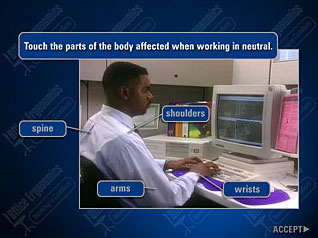
- Choose parts of the body effected by working in a neutral position.
- Identify neutral body positions.
- Suggest ways to improve daily body mechanics.
- Choose awkward positions from a group.
- Agree that good body mechanics should be supported with good ergonomic design.
-
Alter workspace design to implement improvements.
- Recognize the need to find positions that are both neutral and comfortable.
- Compile a checklist to properly position your chair.
- Recognize the correct keyboard height.
- Choose ways to support the wrists while working.
- Choose ways to alleviate the stress of standing during work.
-
Alter the work area to improve visual comfort.
- Identify the correct monitor position.
- Choose the suggested distance between a person and a monitor.
-
Utilize ergonomic suggestions to avoid eye strain.
- Explain visual refocusing.
- Describe the correct way to use a copy holder.
- Explain why people who work with computers tend to have dry eyes.
- Choose appropriate ways to moisten the eyes.
- Select the causes of glare.
- Choose ways to reduce glare.
-
Use good work habits to keep your body fit.
- Agree that you are ultimately responsible for your daily work habits.
- Identify the need to change positions and tasks throughout the day.
- Recall that occasionally looking away from the computer monitor can relax both the eyes and the entire body.
-
Recognize the importance of stretching.
- Describe the benefits of stretching at work.
- Describe the correct way to begin an exercise program.
-
Use the correct stretch to benefit each body part.
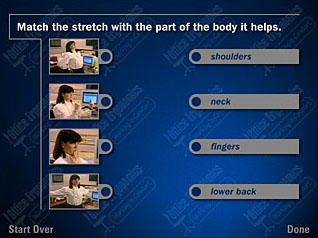
- Match stretches with the body parts they help.
- List ways to exercise the eyes.
© Mastery Technologies, Inc.
